

To manage cancellations, you'll need to connect your Paddle account to Juttu.
This connection allows Juttu to trigger key subscription actions such (pausing, discounting, and canceling) directly through the Paddle API.
In this guide, you’ll learn how to:
- Generate Sandbox and Live API keys in Paddle Billing
- Add those keys to Juttu
💡 Note: You can test the cancel flow using the Sandbox environment without needing to integrate the SDK or frontend right away.
1. Open Paddle → Developer Tools
Go to your Paddle dashboard:
- For live environment go to: https://vendors.paddle.com/authentication-v2
- For sandbox/test environment go to: https://sandbox-vendors.paddle.com/authentication-v2
Make sure you’re using Paddle Billing, not Classic.
You’ll see keys that start with pdl_ (not numeric).
2. Create Sandbox API Key (for testing)
For sandbox/test environment go to: https://sandbox-vendors.paddle.com/authentication-v2
- Click New API key.
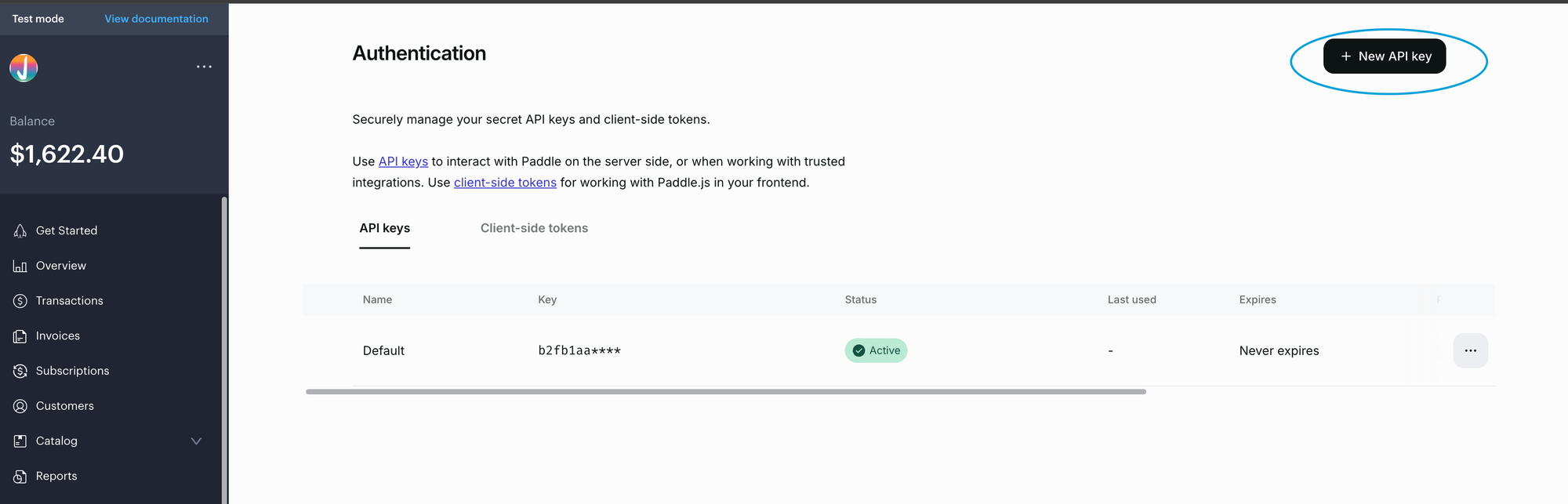
- Set it to "never expires", so the so the connection between Juttu and Paddle remains active without interruption.

- Select the following permissions:
- Customer (to fetch user email & LTV): read
- Discount (to fetch and create discount codes): read & write
- Prices: read
- Products: read
- Subscription: read & write
- Transactions: read
These permissions allow Juttu to:
- Fetch customer and discount data
- Apply discounts and pauses
- Process cancellations
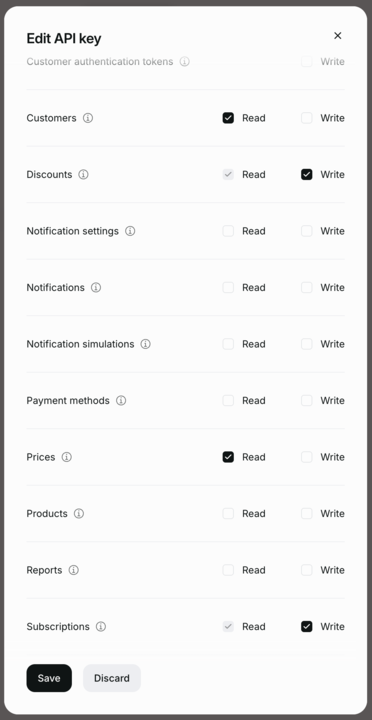
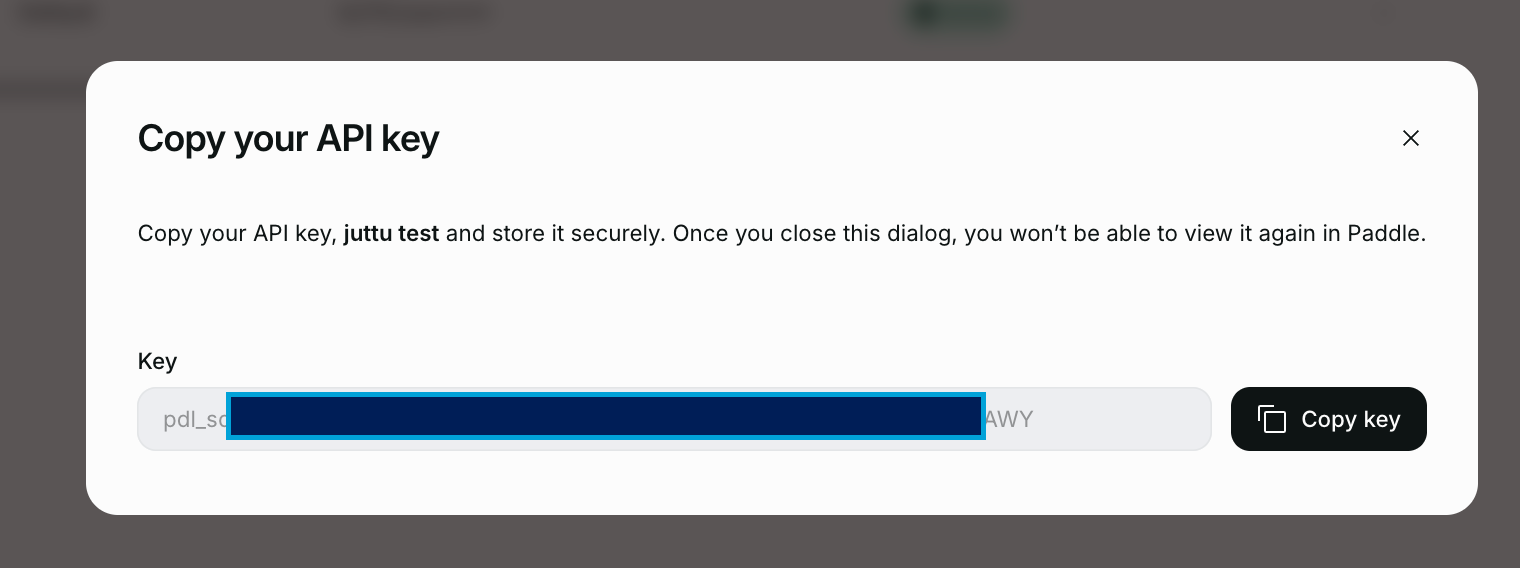
- Click Save and copy the key immediately (e.g., pdl_sdbx_...). You won’t be able to view it again.
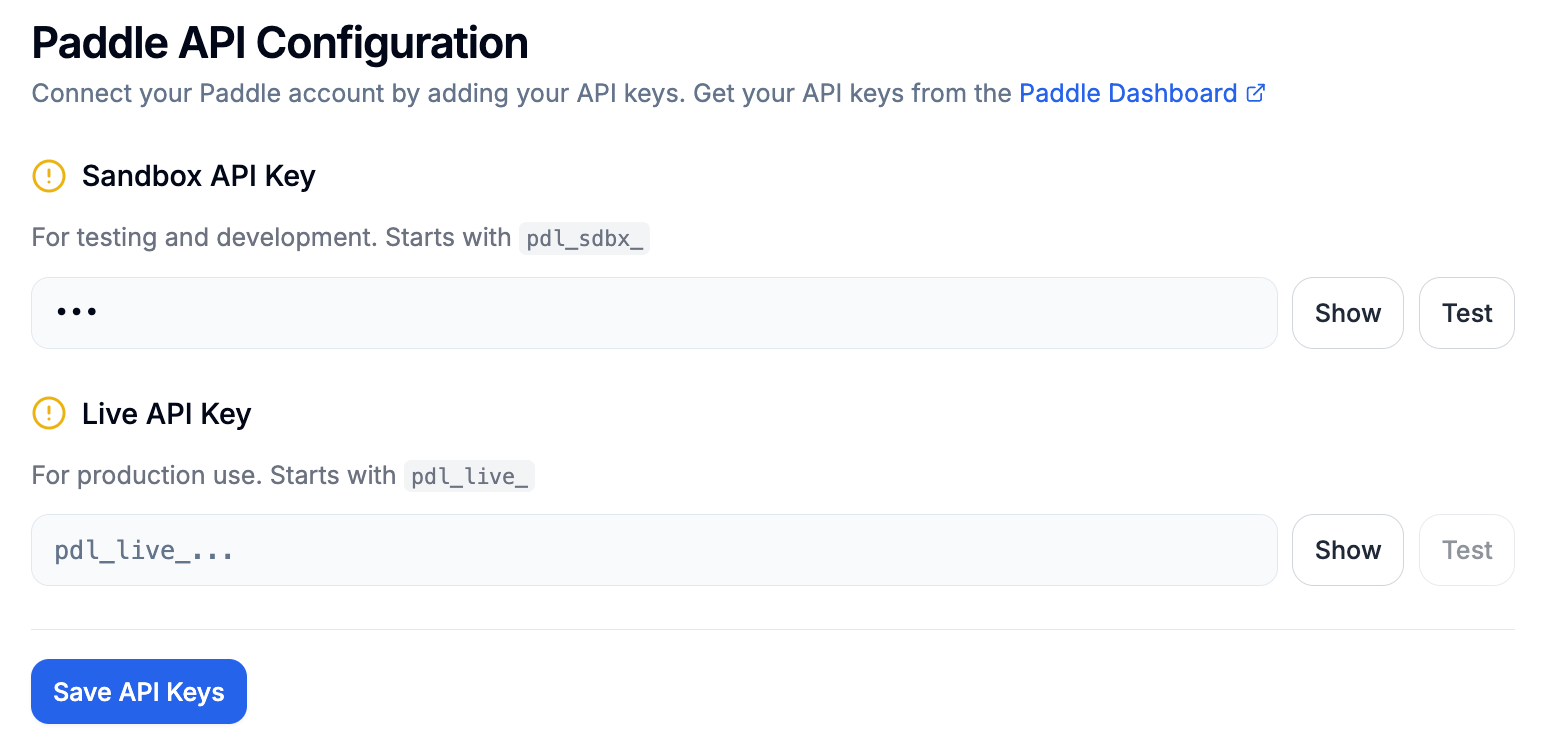
- Paste the key in: Juttu Settings → Providers → Paddle → Sandbox API Key
✅ Result: Juttu can now fetch a test customer and subscription from your Paddle sandbox to test cancel flows.
3. Create Live API Key (for production)
- Go to Live authentication in Paddle.
- Click New API Key
- Choose the same permissions as Sandbox:
Customer.read
Discount.read
Prices.read
Subscription.read & subscription.write
Transactions.read- Copy the key - it starts with:
pdl_live_...- Paste the key in: Juttu Settings → Providers → Paddle → Live API Key
4. Add keys in Juttu
- Once you added both keys: Sandbox and Live.
|
Environment |
API Key Prefix |
Example |
|---|---|---|
|
Sandbox |
pdl_sdbx_ |
pdl_sdbx_xxxxxxx |
|
Live |
pdl_live_ |
pdl_live_xxxxxxx |
- Click Save API keys.
- While testing, set the environment mode to “Test”. This will allow you to test the cancel flow in the Sandbox environment without needing to set up the SDK or frontend first.

✅ Result: Juttu is now connected to your Paddle account.
What's the next step?
You can now fully test the cancel flow in Paddle Sandbox through Juttu without frontend setup.
See: Paddle x Juttu: test customer and subscription setup
More on read/write access rules
Write (to execute actions)
- subscription — needed to cancel, pause/resume, and update a subscription (incl. attach a discount).
Read (to understand LTV + context)
- subscription - read status, billing period, previews.
- transaction - read invoices/charges/refunds for LTV calculations.
- discount - list/validate dsc_… codes configured in Paddle.
- price (and product.read if you use include=product) - fetch price details for MRR/LTV math.
- customer.read - get customer email, enrich LTV per customer
full documentation on permissions can be found here in the paddle documentation.