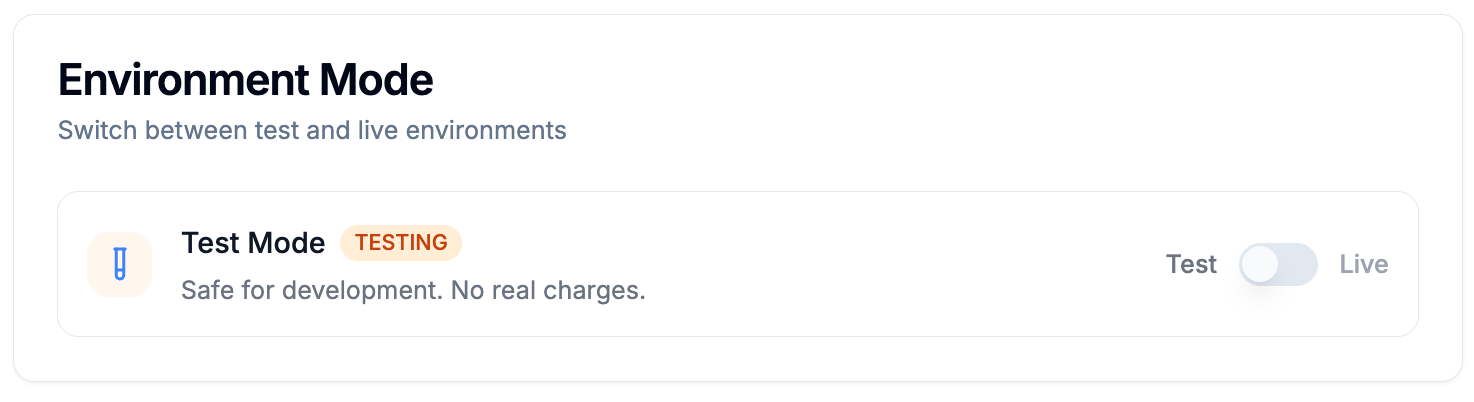

You've successfully connected Juttu with Stripe (see how to here) and now want to verify the connection before going live.
The easiest way to do that is by using Juttu’s SDK together with a test customer and subscription from your Stripe Sandbox.
In this guide you'll learn:
- How to create a test customer and subscription
- How to create a test discount
- How to simulate a cancellation via Juttu's test environment
Create a Test Customer and Subscription in Stripe
- Go to your Stripe test environment
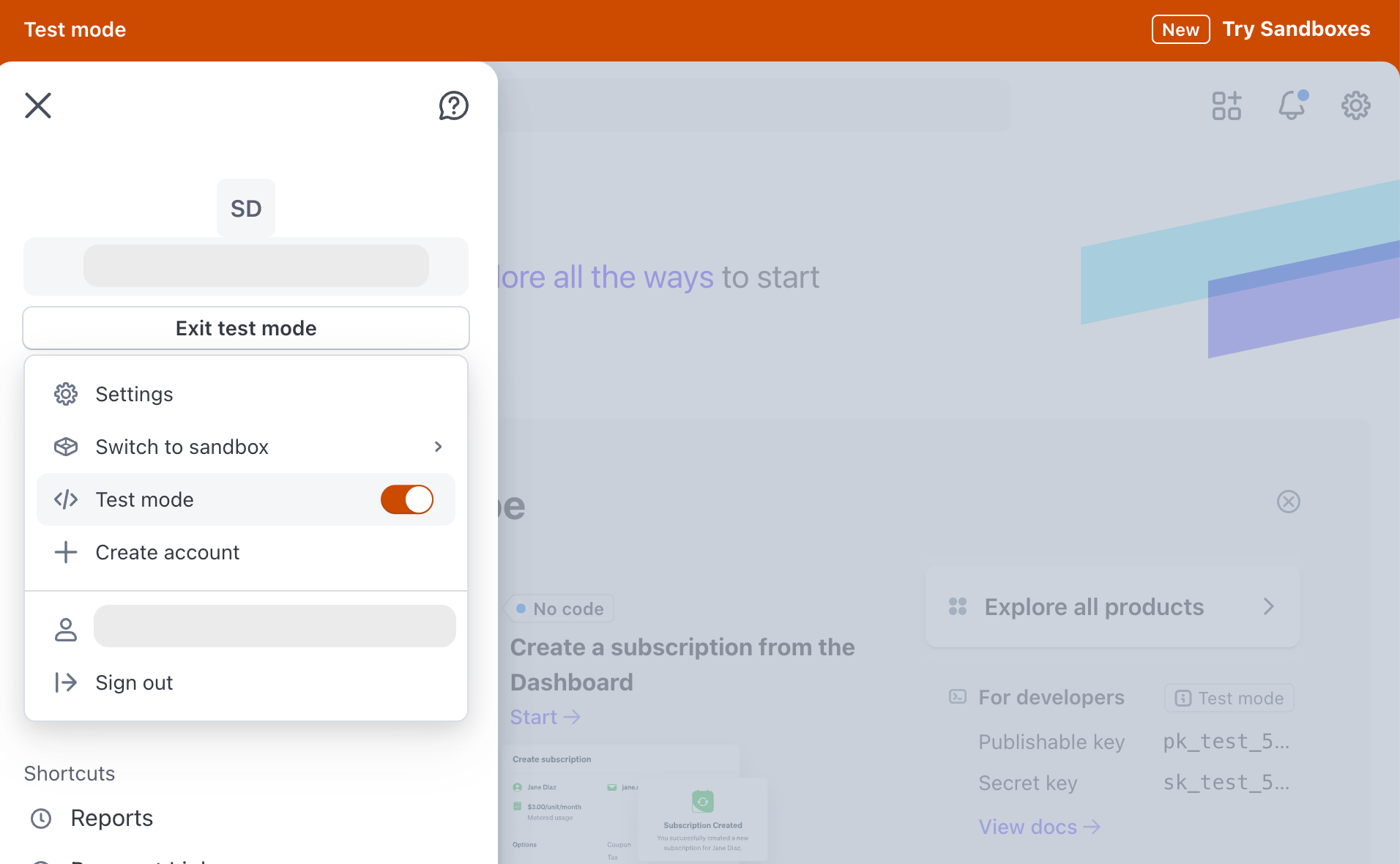
- Customers → Add customer (incl. address so the subscription can be created) → Create customer
- Create Subscription → Add product → Set up Payment to "Email invoice to the customer to pay manually" → Create test subscriptio
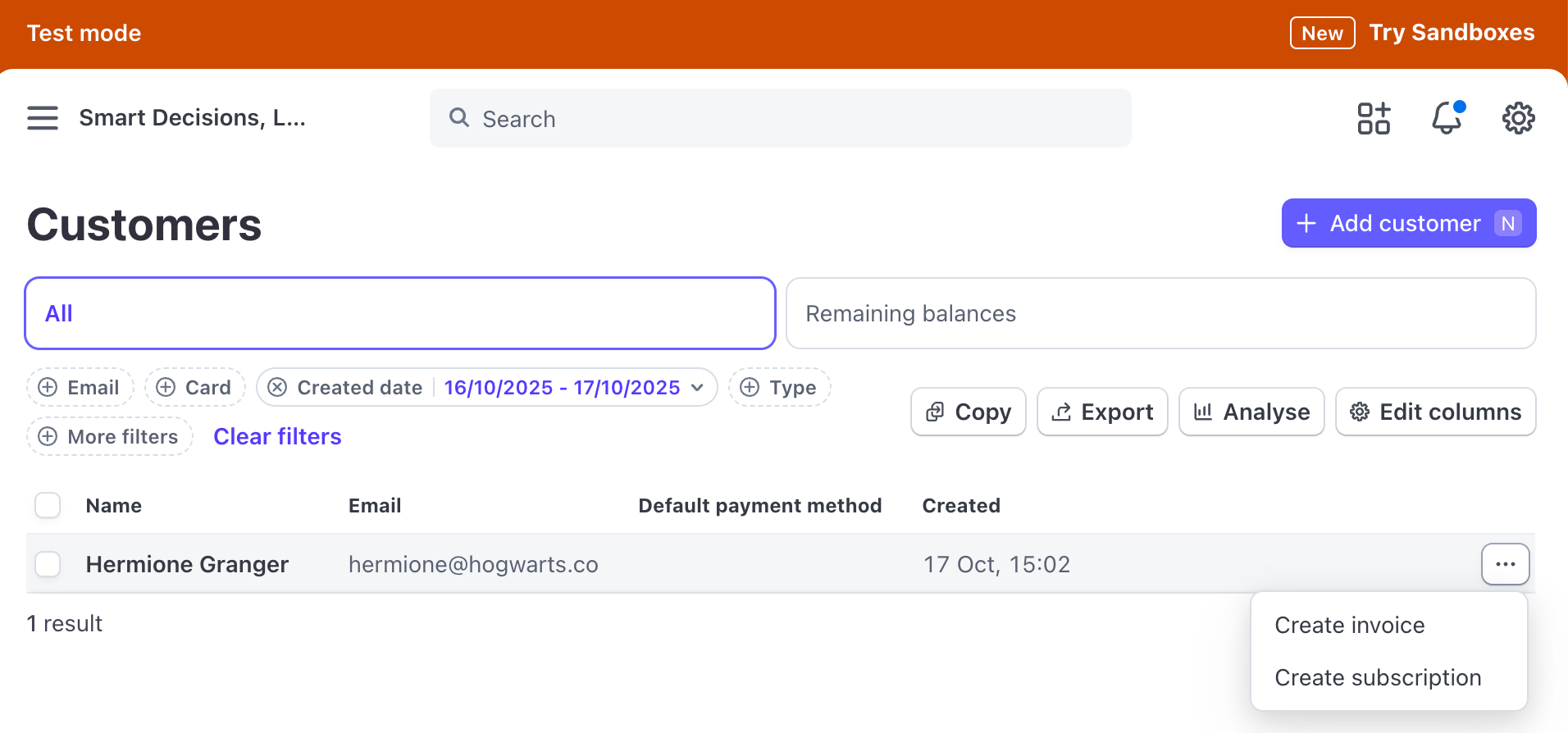
✅ Your test customer and subscription are now created.
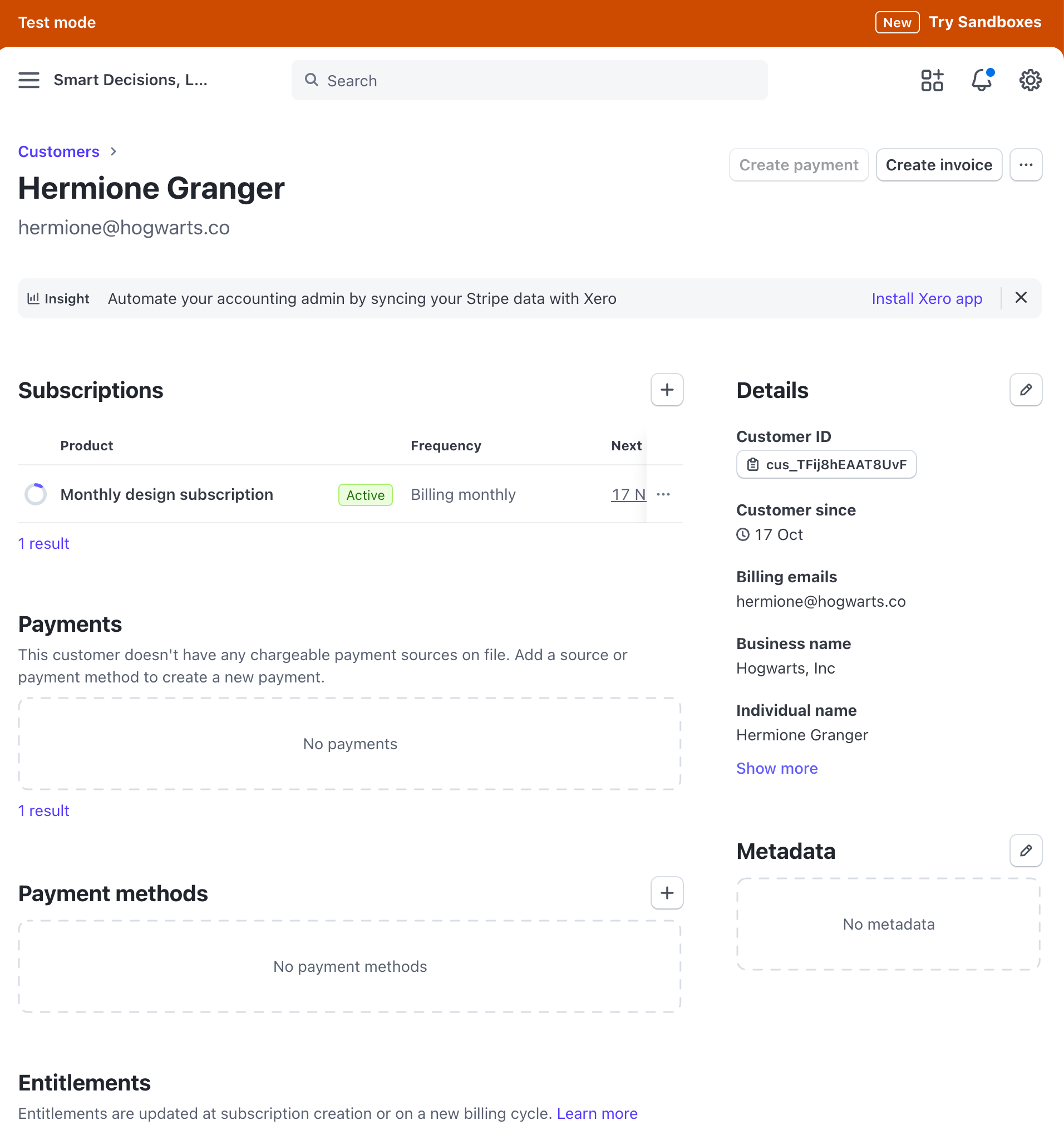
Where to find my subscription ID and customer ID ?
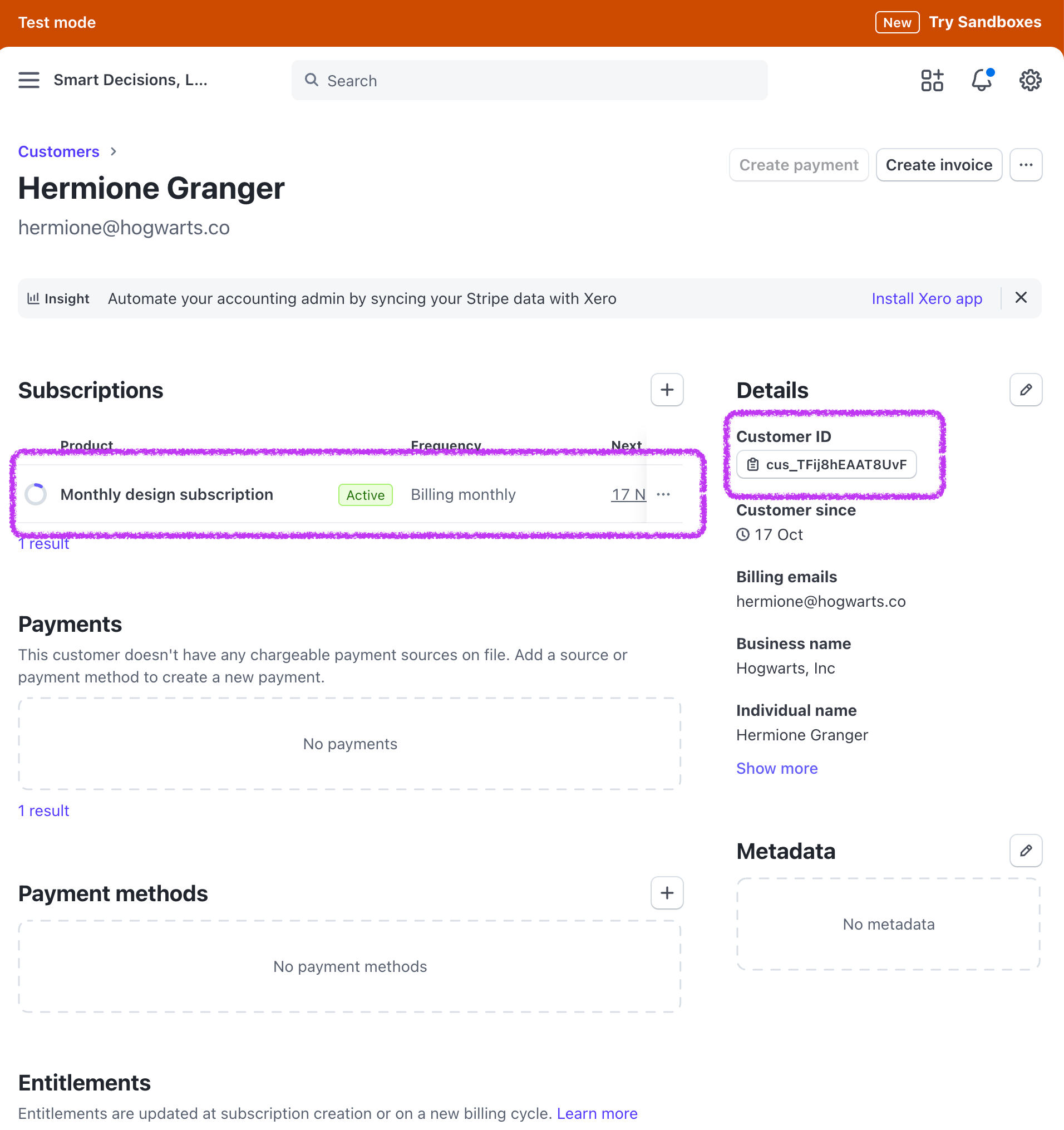
- Go to Customers and select the one you just created, you'll find here the Customer ID (cus_XXX).
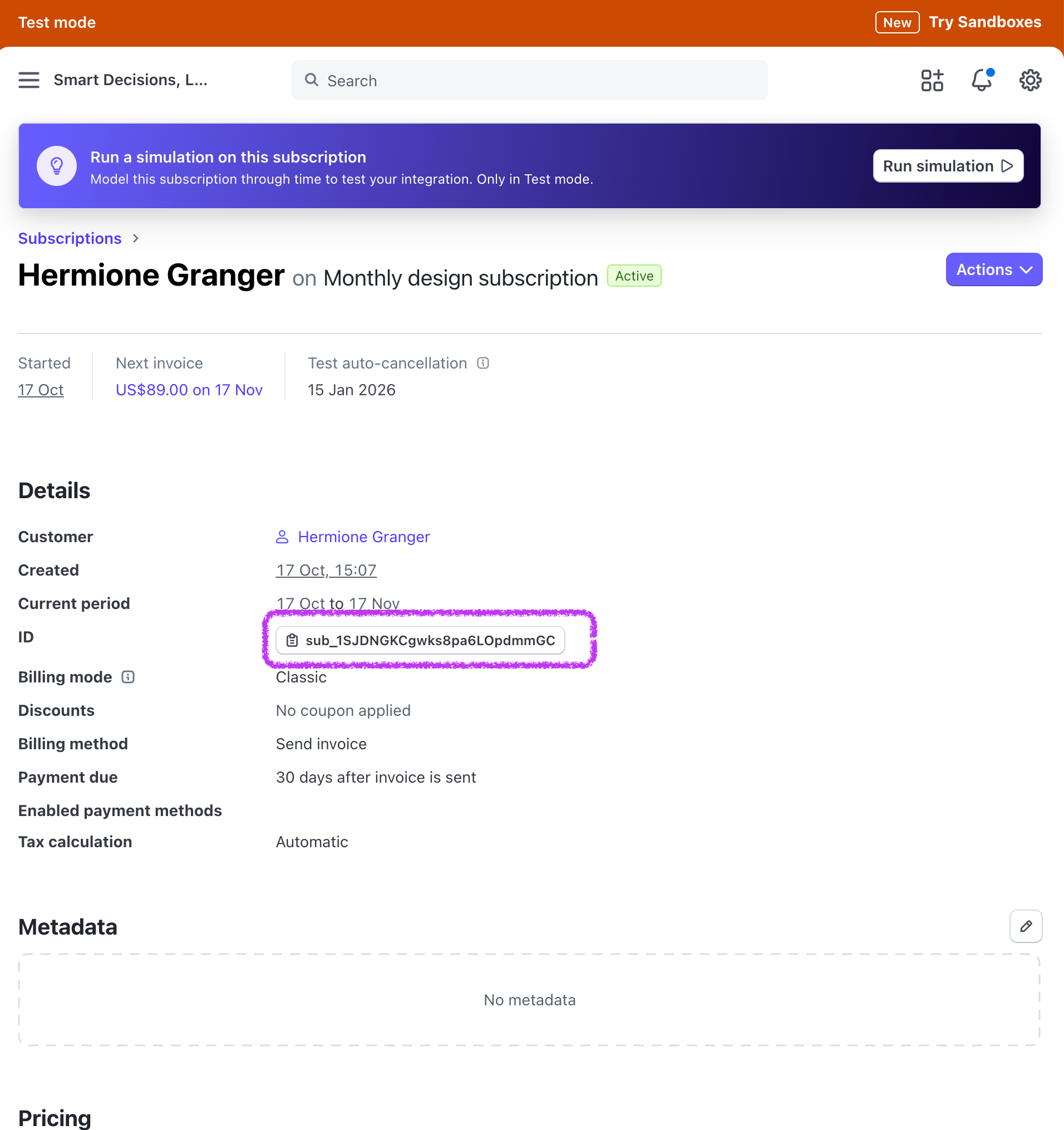
- Then click on the subscription, you'll find the subscription ID there (sub_XXX)
Create test discount
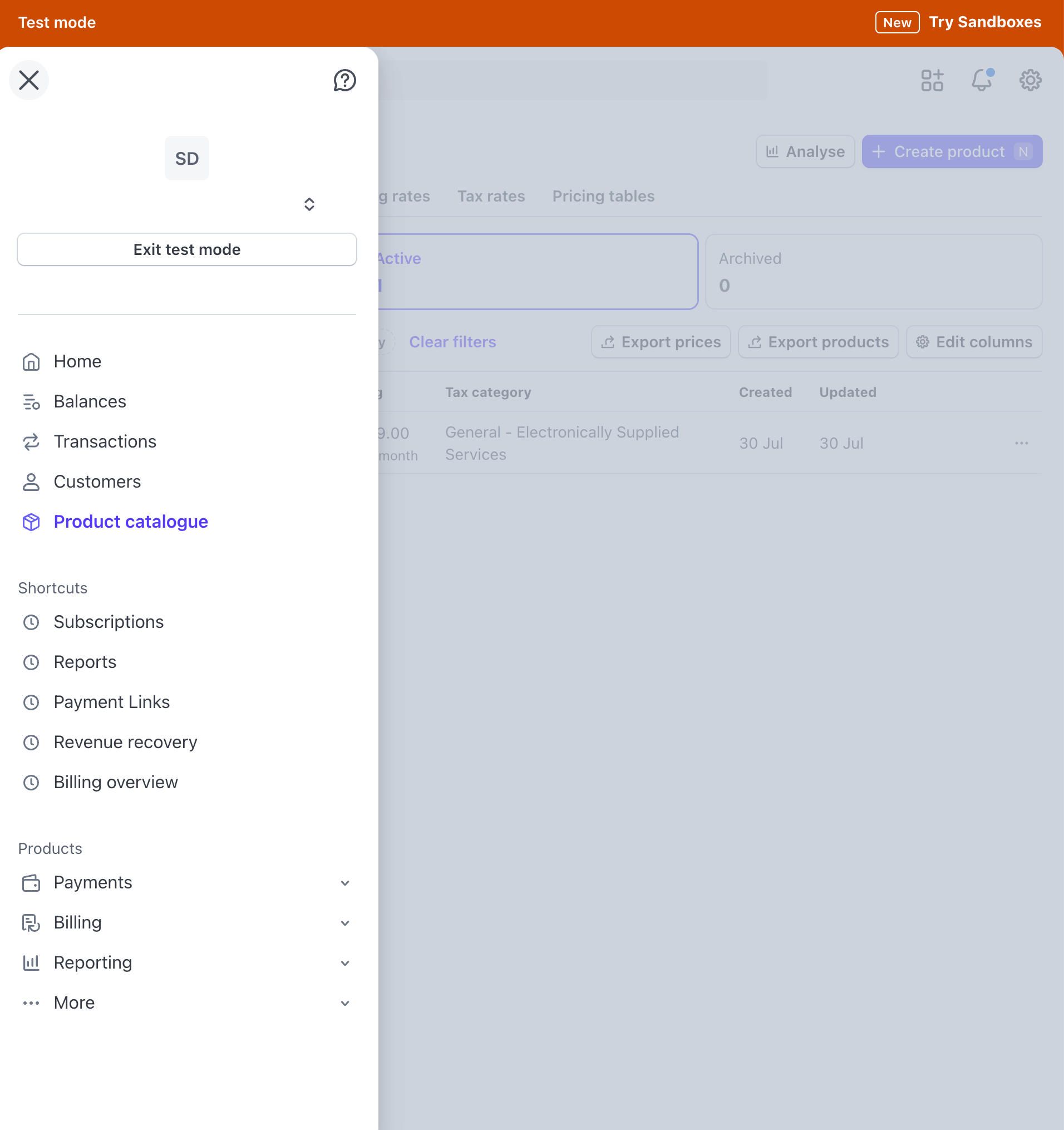
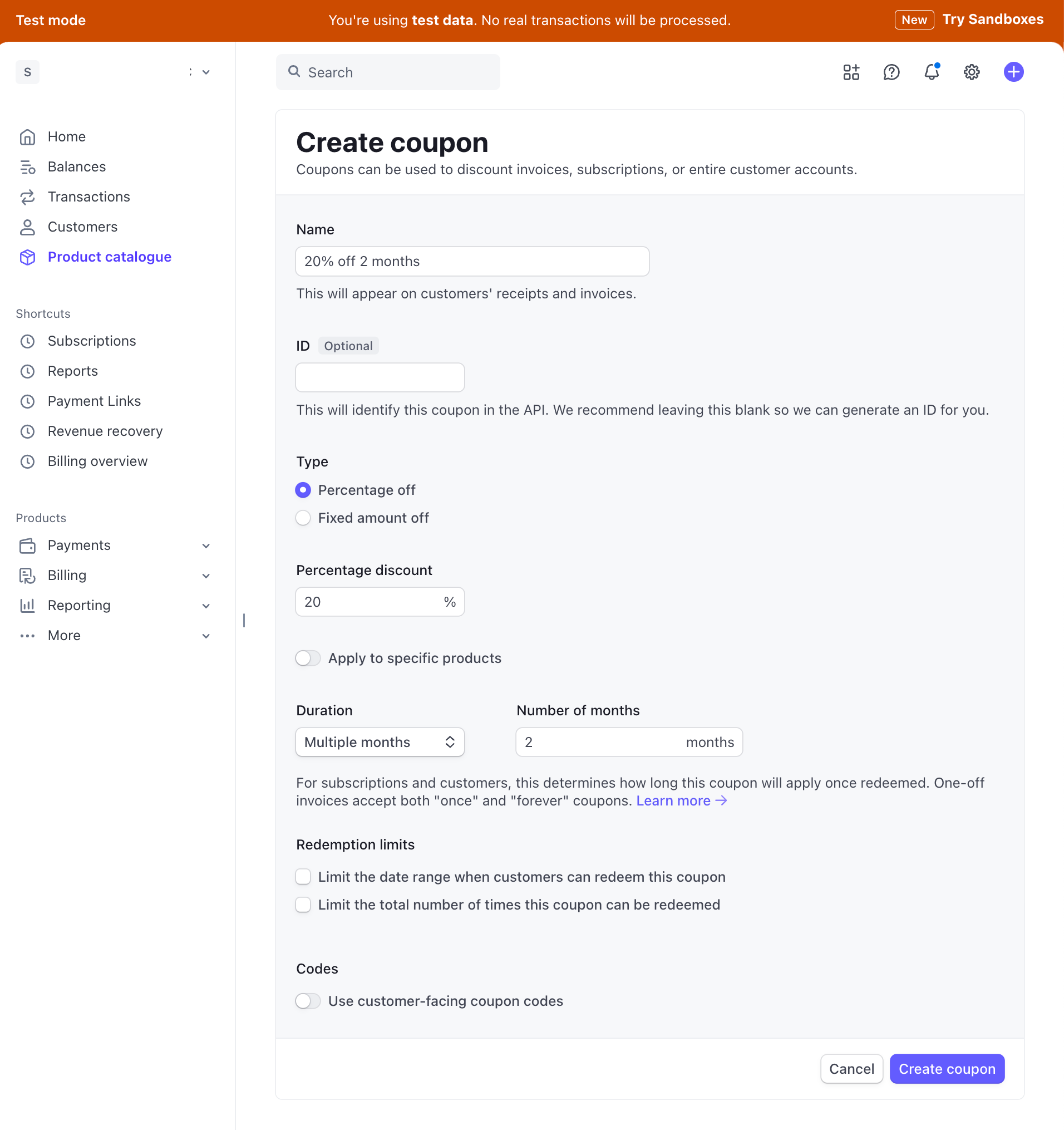
- In Stripe test, go to → Coupons
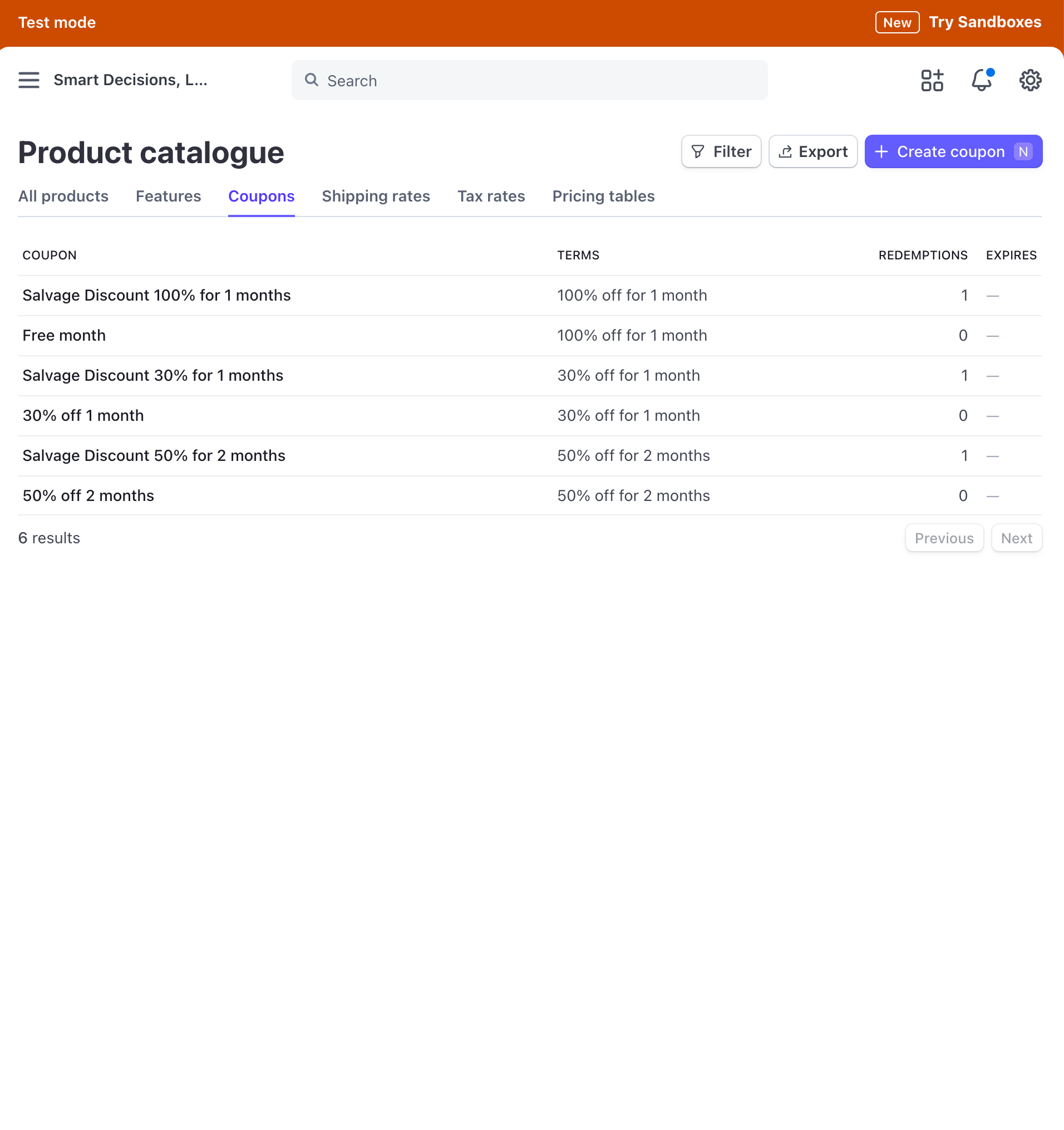
- Copy an existing coupon ID or create a new coupon (add name, percentage and duration)
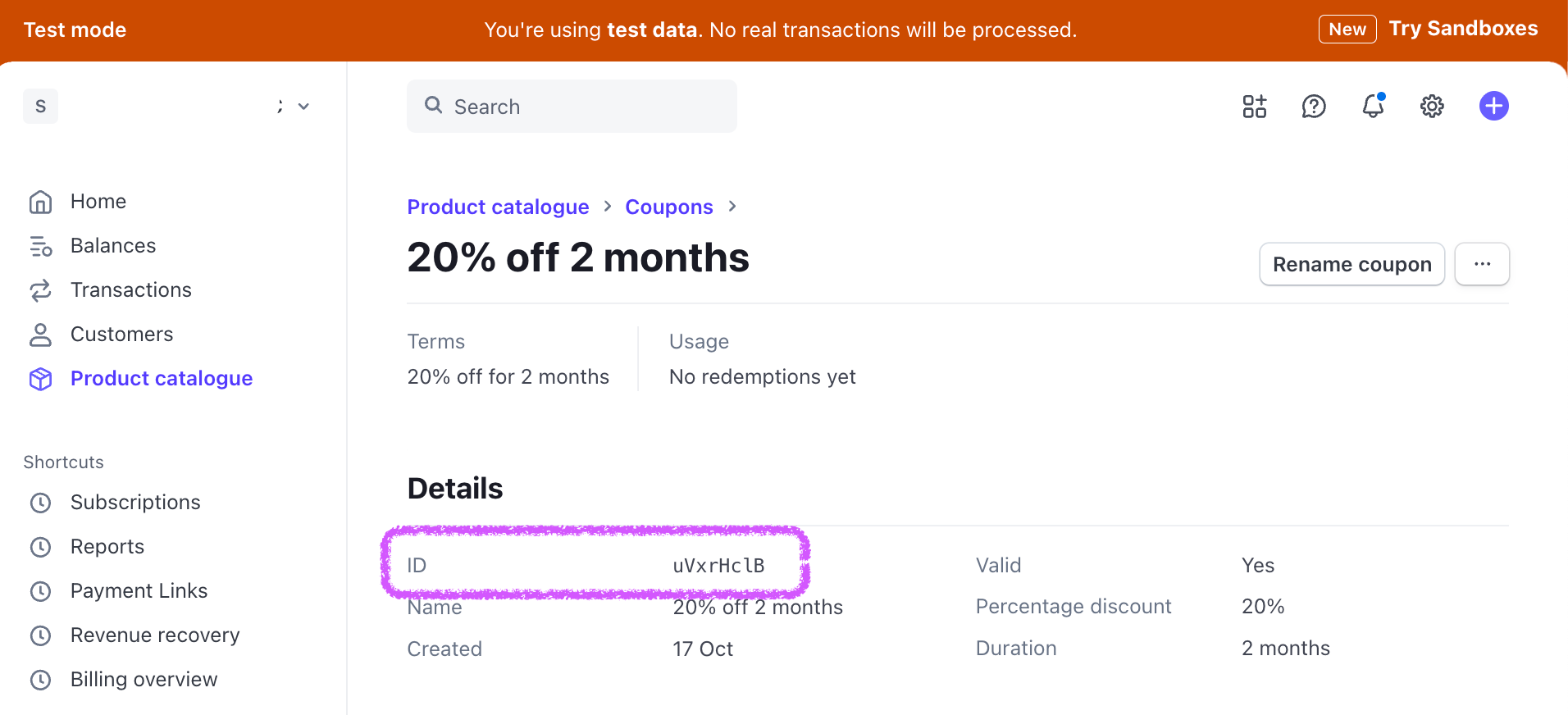
- Once created, select the coupon and copy the ID
- Go to Juttu Settings → Providers → Manage coupons
- Create a coupon if you didn't yet, or copy the ID in the created coupon in Test Mode Coupon ID. (add Name, ID, discount value and duration)
- Create or Update coupon
At this point you should have:
- A test customer ID
- A test subscription ID
- A coupon in Juttu that's connected to your test coupon in Stripe
You're ready to simulate a cancellation via Juttu's test environment !
Then you'll know your payment provider is connected, and the cancellation / pause / discount are applied.
Set up test environment
Go to Juttu Settings → Providers → Stripe → Environment Mode.
- Set the environment mode to “Test”. This will allow you to test the cancel flow in the test environment without needing to set up the SDK or frontend first.

Test the cancel flow in Juttu
In Juttu, go to the SDK Test tab in your cancel flow.
- Paste your subscription ID and customer ID.
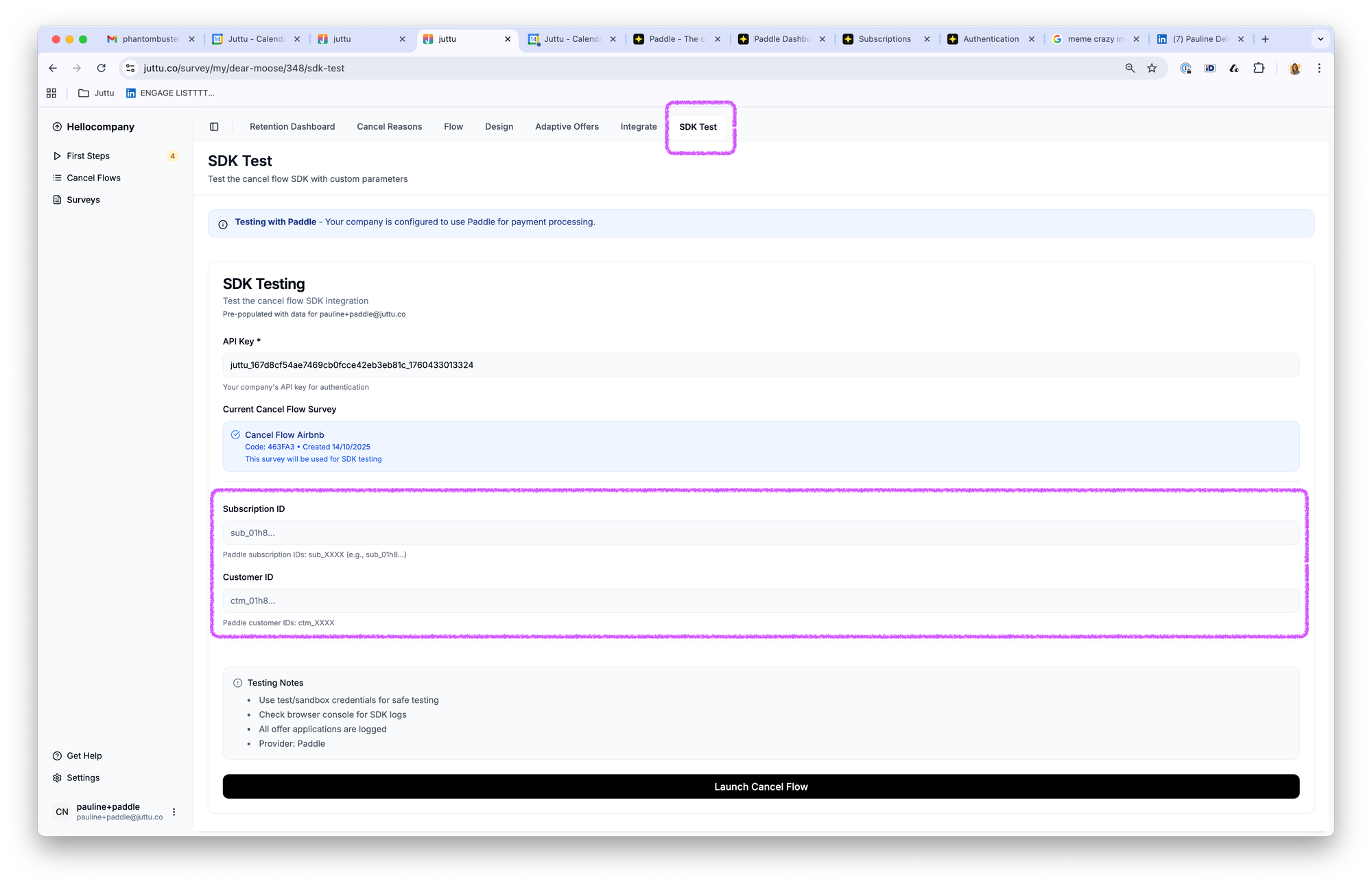
- Launch the cancel flow.
- Go through the flow and choose any option (e.g. Cancel, Pause, or Discount).
🪄 Juttu will apply the selected action directly in Stripe test.
How do I know it worked?
Open the same test subscription. In this example we chose the 30% off discount.
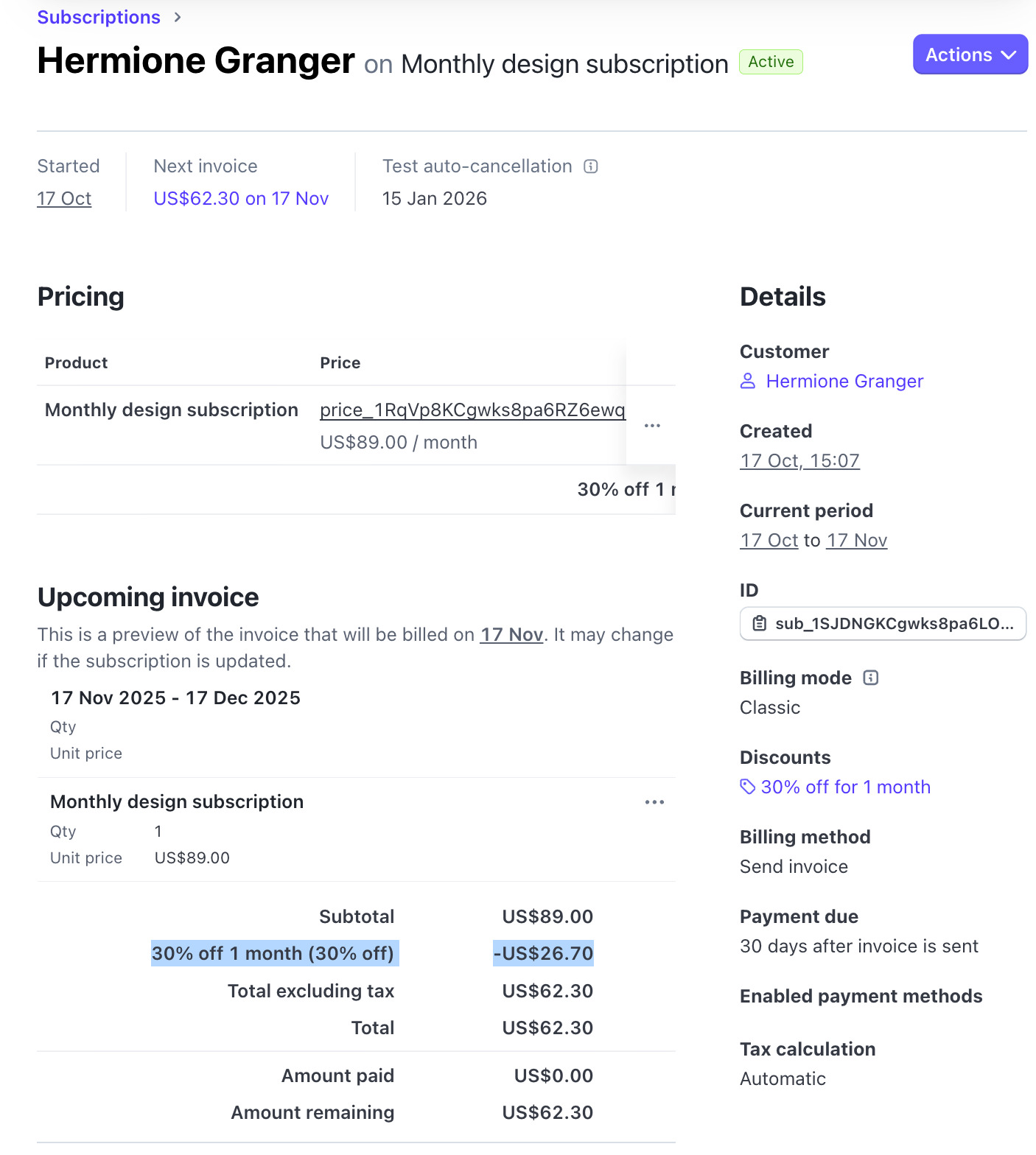
In this example, the subscription was cancelled.
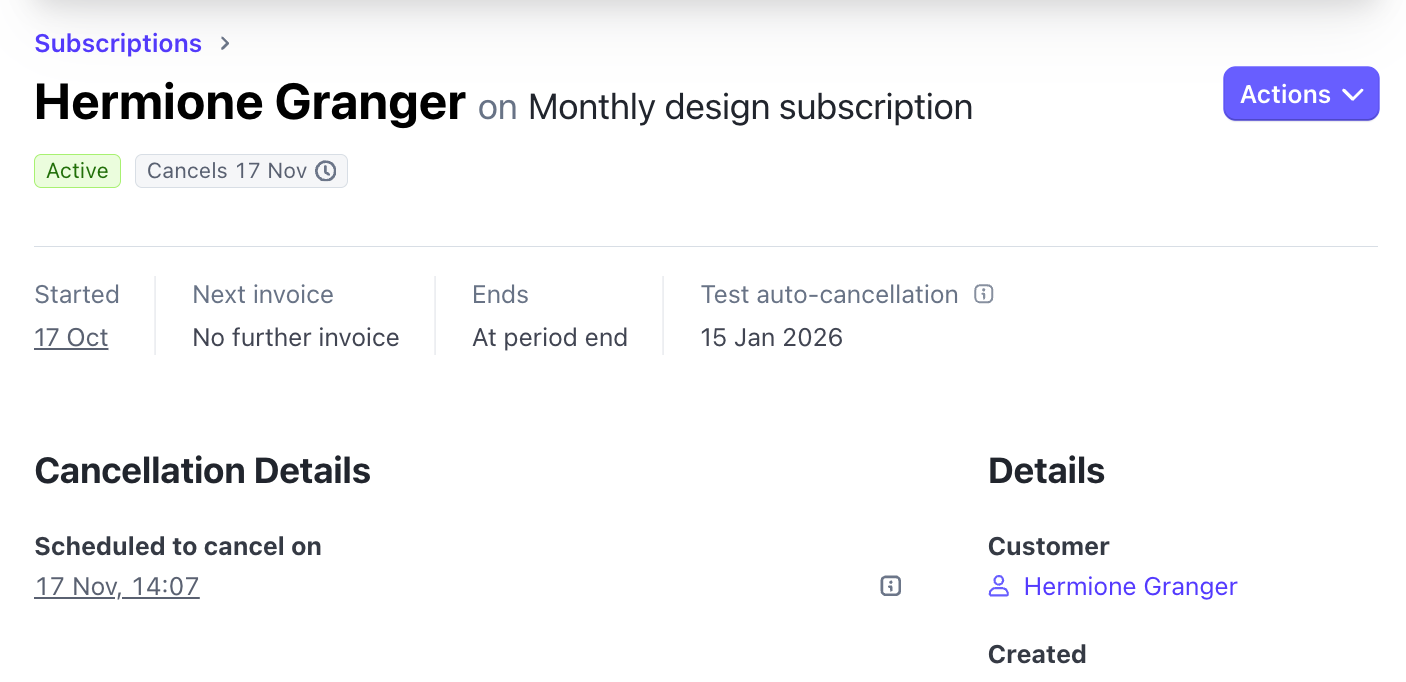
💡 To try another scenario (e.g., pause or discount), click on update subscription to remove the discount, unpause or don't cancel to go back to an active subscription.
What's the next step?
Once you’ve finished testing and are happy with the flow:
- Go to Payment Providers in Juttu.
- Switch the Environment Toggle from Test to Live.
- Share the SDK details with your dev team to integrate it into your frontend.